
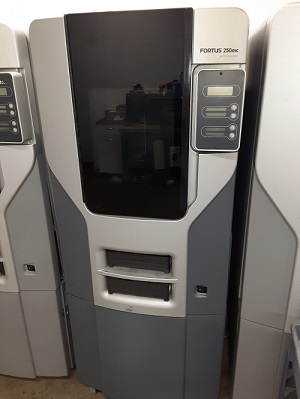
When a Stratasys Fortus 3D printer pauses during a build, the most common cause is a clogged tip or “material blocked at head” error, usually caused by moisture in the filament. Other common causes are a worn or cross-contaminated extrusion tip, debris in the Y-Block or guide tubes, and a failing drive block or head motor.
This guide covers the most common causes and how to fix each one. It applies to all Fortus machines, including the 360mc, 400mc, 380mc, 450mc, 900mc, and F900, as well as many other Stratasys FDM (fused deposition modeling) printers.
Quick Troubleshooting Guide
| Symptom | Most likely cause | What to do |
| Build pauses, material blocked at head | Moisture in the filament | Load a new spool, ideally from a different lot, and dry the wet spool |
| Oozing, bubbles, brittle filament | Moisture contamination | Dry the filament at the correct temperature |
| Extrusion errors after many builds | Tip near end of life | Check tip usage and replace the tip |
| Errors after switching materials | Tip used with more than one material | Replace the tip and dedicate it to one material |
| Filament won’t feed to the head | Debris in the Y-Block or guide tube | Inspect and clean the Y-Block, clear the guide tube |
| Errors follow one material bay | Failing drive block motor | Swap bays to test, then repair or replace the motor |
Why a Fortus Printer Shows “Material Blocked at Head”
A “material blocked at head” or clogged tip error means the printer sensed resistance when it tried to push filament through the print head. The most common reason is moisture in the filament.
Fortus machines melt and extrude polymers at high temperatures. When filament contains moisture, that moisture turns to steam inside the liquefier. The steam builds pressure and pushes back against the filament as it tries to extrude. The printer senses this backpressure as resistance and pauses the build.
Other causes of the same error include:
- A tip that is clogged or near the end of its life
- A tip that has been used with more than one material
- Debris or broken filament in the Y-Block or guide tubes
- A failing drive block motor or head motor
Signs Your Fortus Filament Has Moisture Contamination
Wet filament usually shows clear warning signs at the tip and in your parts.
Signs of moisture-contaminated filament:
- Oozing from the tips of more than ¼ inch at build temperature
- Bubbles in the extruded filament
- Brittle filament that breaks easily when bent
- Low part quality, such as stringing or pooling
Some materials are more sensitive to moisture than others. The higher the extrusion temperature, the more moisture affects the material. Wet ABS may still print parts, though at low quality, and doesn’t always trigger an error. ULTEM 9085 and ULTEM 1010 will produce poor parts and throw machine errors with only a small amount of moisture.
To rule out moisture, load a new spool. If possible, use a new spool from a different lot number. If the problem goes away, the original spool was wet.
How to Dry Wet Filament for a Fortus Machine
Dry wet Fortus filament in a vacuum drying oven at 75°C for PC and ULTEM materials, and at 65°C for all other materials. Drying can take anywhere from 12 to more than 60 hours, depending on how much moisture the filament has absorbed.
Drying guidelines:
- PC and ULTEM (9085 and 1010): 75°C
- All other materials: 65°C
- Drying time: 12 to 60+ hours, depending on moisture level
- Best method: a vacuum drying oven
- Alternative: the printer’s own oven chamber, if you have the time
For more detail, see our guides on drying 3D printer filament for Stratasys Fortus machines and onboard filament drying for Fortus and F Series machines.
Why Your Fortus Keeps Pausing on ULTEM 9085 Builds
ULTEM 9085 builds pause more often than most materials because ULTEM is extremely sensitive to moisture. Even a small amount of absorbed moisture can cause material blocked at head errors, tip clogs, and poor part quality.
How to prevent pauses on ULTEM builds:
- Dry ULTEM at 75°C before loading
- Load a fresh spool from a different lot if pausing continues
- Use a tip that has only ever run ULTEM
- Check the tip’s total extrusion volume and replace it if it’s near end of life
- Keep spools sealed until use, and don’t leave partial spools exposed to humid air
How Long a Fortus Extrusion Tip Lasts
A Fortus extrusion tip typically lasts between 600 and 1,000 cubic inches of extruded material. A tip nearing the end of its life can clog or cause extrusion errors even when the filament is dry.
If your printer is pausing and the filament has been ruled out, check how much material the tip has extruded. Replacing a worn tip is one of the quickest fixes for recurring extrusion errors. Pivot AM stocks Fortus replacement tips.
Can You Use One Tip for Multiple Materials?
No. A Fortus tip should only be used with one material type for its entire life. Switching materials on a used tip causes clogs and extrusion errors.
For example, if you load ASA or nylon into a tip that has already extruded PC, the tip will clog or give extrusion errors. Different materials run at different temperatures, and residue from one material can block the flow of another. Keep a dedicated set of tips for each material you run, and label them.
What a Y-Block Is and How to Clean It
A Y-Block is the junction where two material bays feed into a single guide tube that leads to the print head. Most Fortus machines have four drive bays, two for model material and two for support material, and each pair meets at its own Y-Block.
Debris and broken pieces of filament can build up or get stuck in the Y-Block, blocking the filament before it reaches the head.
How to check and clean a Y-Block:
- Unload the material from the affected bays
- Remove the Y-Block
- Inspect it for debris, filament shavings, or broken pieces of filament
- Clear any blockage so filament passes through cleanly
- Reinstall the Y-Block and reload material
Replacement Y-Blocks are available if yours is damaged or worn.
How to Clear a Filament Jam in a Fortus Guide Tube
After the Y-Block, filament travels through a guide tube to the print head, and it can get stuck there too. To find and clear a jam, push a long separate piece of model filament through the guide tube by hand.
How to clear a guide tube jam:
- Unload the material from the affected bay
- Feed a long piece of model filament into the guide tube
- Feel for excessive resistance as you push it through
- Look along the tube to see where the filament is stuck
- Keep pushing the separate piece of filament to dislodge the jam
- Reload material and test extrusion
Clogged Tip vs Y-Block Blockage
A clogged tip is a blockage at the print head, where the filament melts. A Y-Block blockage is upstream in the filament path, before the filament reaches the head. Both can cause pauses and extrusion errors, but they point to different fixes.
| Clogged tip | Y-Block or guide tube blockage | |
| Location | Print head | Between the material bays and the head |
| Common causes | Moisture, worn tip, mixed materials | Debris, broken filament pieces |
| Typical sign | Filament reaches the head but won’t extrude | Filament doesn’t feed smoothly toward the head |
| Fix | Dry filament, replace or dedicate the tip | Clean the Y-Block, clear the guide tube |
If filament feeds freely through the guide tube by hand, the problem is more likely at the tip. If you feel resistance or the filament stops before the head, the problem is in the Y-Block or tube.
How to Tell If a Fortus Drive Block Motor Is Failing
Two motors feed filament from the canister to the tip on a Fortus machine: one at the drive block and one at the print head. If either motor is failing or near the end of its life, you’ll see extrusion errors that don’t go away after drying filament, changing tips, and clearing the filament path.
How to test a drive block motor:
- Switch the material to a different bay
- If the errors stop, the original bay’s drive block motor is the likely problem
- If the errors continue in every bay, the head motor or another component may be at fault
Signs of a failing motor:
- Repeated pauses on one specific material bay
- Inconsistent filament feeding
- Unusual noises from the drive block
- Errors that continue after moisture, tips, and debris are ruled out
Should You Repair or Replace a Failing Fortus Drive Block Motor?
In most cases, replace just the motor instead of the entire drive block. Replacing only the motor costs far less and keeps the rest of the working drive assembly in service.
Stratasys only sells the complete filament drive for this repair, but Pivot AM sells the drive block motor on its own. For more detail, see our comparison of repairing faulty Fortus motors versus replacing entire drive blocks.
Troubleshooting Extrusion Errors on a Fortus 900mc
The same root causes apply to the Fortus 900mc and F900: moisture in the filament, tip wear or cross-contamination, debris in the filament path, and failing feed motors. Because the 900mc runs large, long builds, moisture and tip wear tend to show up more often over the course of a single job.
Troubleshooting order for a 900mc:
- Check the error message on the display
- Rule out moisture by loading a fresh, dry spool
- Check tip usage and confirm the tip has only run one material
- Inspect the filament path from the material bay to the head for debris
- Test the feed motors by switching material bays
- Call a technician if errors continue
Step-by-Step: What to Check When Your Fortus Pauses
Work through the causes in this order, starting with the most common and easiest to fix.
- Filament moisture: load a new spool from a different lot and dry the wet one
- Tip life: check how much material the tip has extruded and replace it if it’s near 600 to 1,000 cubic inches
- Tip material history: confirm the tip has only been used with one material
- Y-Block: remove, inspect, and clean it
- Guide tubes: push a separate piece of filament through to find and clear jams
- Drive block motor: switch bays to see if errors follow a specific bay
- Head motor and other components: call a technician for diagnosis
When to Call a Professional for a Fortus That Keeps Pausing
Call a professional when you’ve ruled out moisture, tip life, and filament path debris and your Fortus is still pausing or showing errors. At that point, there’s likely a deeper mechanical or electrical issue, such as a failing head motor, sensor, or controller problem.
Call a technician if:
- Pauses continue after drying filament and replacing the tip
- Errors appear on every material bay
- You hear grinding or clicking from the head or drive block
- The machine shows error messages you can’t clear
- You’re not comfortable removing Y-Blocks or motors yourself
Contact Pivot AM for a diagnosis. We keep Fortus replacement parts in stock, including tips, Y-Blocks, and drive motors, and offer on-site service, depot repair, and Fortus maintenance plans. Call 641-780-5686 or 888-928-6811, or email info@pivotam.com.
Still Having Issues?
If you’ve worked through moisture, tip life, and debris in the filament pathway and your Fortus machine is still pausing or displaying errors, there may be a deeper mechanical issue. Contact Pivot AM for a diagnosis. If you need replacement parts such as tips, Y Blocks, or drive motors, Pivot AM keeps these parts in stock.
The most common cause is a clogged tip or material blocked at the head, usually from moisture in the filament. Moisture turns to steam in the liquefier, creating backpressure that the printer senses as resistance, so it pauses the build.
Moisture in the filament is the most common cause. Other causes include a worn tip, a tip used with more than one material, debris in the Y-Block or guide tubes, and a failing drive block or head motor.
Signs include oozing of more than ¼ inch from the tips at build temperature, bubbles in extruded filament, brittle filament that breaks when bent, and poor part quality such as stringing or pooling.
Use a vacuum drying oven, or the printer’s own oven chamber if you have time. Dry PC and ULTEM at 75°C and all other materials at 65°C for 12 to 60 or more hours, depending on moisture level.
Dry ULTEM 9085 and ULTEM 1010 at 75°C. Drying can take 12 to 60 or more hours depending on how much moisture the filament has absorbed.
A Fortus extrusion tip typically lasts between 600 and 1,000 cubic inches of extruded material.
No. Each tip should be used with only one material type for its entire life. Loading a different material, such as ASA or nylon, into a tip that has run PC causes clogs and extrusion errors.
A Y-Block is where two material bays join into a single guide tube leading to the print head. To clean it, unload material, remove the Y-Block, clear any debris or broken filament, and reinstall it.
Push a long separate piece of model filament through the guide tube by hand, feel for resistance, and look for where the filament is stuck. Continuing to push the separate piece usually dislodges the jam.
Switch the material to a different bay. If the errors stop, the original bay’s drive block motor is likely failing. If errors continue in every bay, the head motor or another component may be the cause.
Replace just the motor in most cases. It costs far less than a full drive block. Stratasys only sells the complete filament drive, but Pivot AM sells the motor separately.
ULTEM 9085 is extremely sensitive to moisture, so even small amounts cause pauses and errors. Dry it at 75°C, use a tip dedicated to ULTEM, and replace tips near the end of their life.
A clogged tip is a blockage at the print head, usually from moisture, wear, or mixed materials. A Y-Block blockage is upstream, where debris stops filament before it reaches the head.
Check the error message, rule out moisture with a fresh dry spool, confirm tip life and material history, inspect the filament path for debris, and switch material bays to test the feed motors.
Call a professional if pauses continue after ruling out moisture, tip wear, and filament path debris, if errors appear on every bay, or if you hear grinding or clicking from the head or drive block.
